 by Ecrin Labs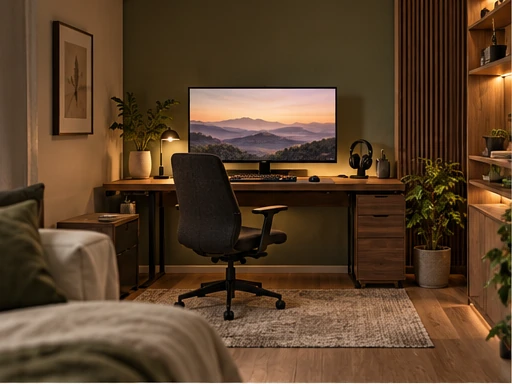
A small gaming room needs a clear plan more than a long shopping list. The desk, chair, screen and cables set the limits of the space; lighting and color work best after those basics are comfortable. The aim is a room that looks inviting in a saved image and remains easy to use on an ordinary evening.
These six original concepts focus on layouts and habits you can adapt to an existing bedroom, spare room or living-room corner. The images are AI-generated design illustrations rather than photographs of completed projects. Measure your own furniture and check equipment requirements before using any arrangement as a buying plan.
1. Build the layout around chair movement
A compact gaming room works when you can sit down, stand up and move behind the chair without rearranging furniture. Before shopping, mark the proposed desk footprint with removable tape. Add the chair in its pulled-out position, then walk the route between the door, desk and any storage. A desk that technically fits can still make the room frustrating to use.
For a single-screen setup, a straight wall-facing desk often leaves more usable floor space than a large corner desk. Put occasional-use accessories on a nearby shelf rather than making the desktop deeper just to hold them. Check monitor base depth, keyboard space and where your forearms rest; a narrow decorative console may look right in a picture but feel cramped during a longer session.
Keep access to outlets and windows in the plan. If a desk crosses a heater, vent or frequently opened door, choose another wall before adding lighting or decor. In a rented room, a freestanding desk and removable cable clips let you refine the arrangement without committing to built-in furniture.
2. Position the screen before choosing the decor
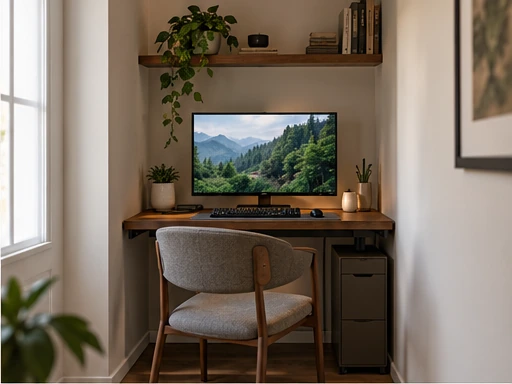
Look at the room in daylight and at the time you usually play. A window directly behind you can reflect in the screen; a bright window behind the monitor can create a large contrast between the display and its surroundings. A desk beside a window, with the screen roughly perpendicular to it, is a useful starting arrangement. Adjustable curtains give you another way to control changing light.
Center the main display on the place where you sit. Adjust its height and distance until reading feels comfortable without leaning forward or tilting your head for long periods. If a second monitor is mostly for chat or music, angle it toward you and keep the main screen as the visual center rather than splitting your attention equally.
Before buying a monitor arm, confirm the display mount pattern, weight limit, desktop thickness and clamp clearance. Thin hollow desktops and glass tops may need a different mounting method. These compatibility checks matter more than making the setup resemble a reference image.
3. Use three lighting jobs instead of more RGB strips
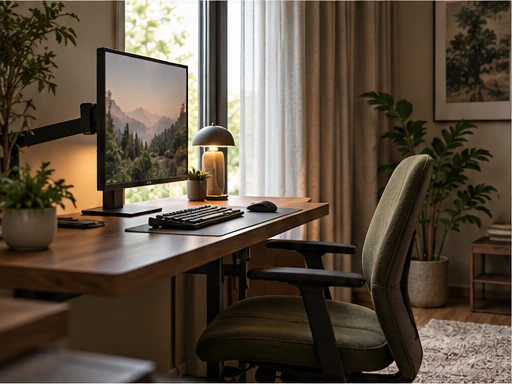
Think of lighting as three separate jobs: comfortable background light, enough task light to find things, and a small decorative accent. A shaded desk lamp can handle a keyboard or notebook while a diffused light behind the screen softens the transition into a darker room. One restrained accent near a shelf can add character without surrounding every surface with LEDs.
Place lamps so exposed bulbs do not shine toward your face or reflect strongly in the screen. Try the arrangement with the monitor on, then turn individual lights off to identify the source of glare. Neutral room colors make it easier to switch between a warm evening mood and clearer daytime light without replacing your furniture.
Choose accessible controls. A lamp that requires reaching behind the desk will probably stay on one setting. Keep remotes or switches within reach and use dimming where supported. If colored light is part of the look you enjoy, limit it to one zone and keep enough ordinary light to see the room comfortably.
4. Give cables and accessories a permanent home
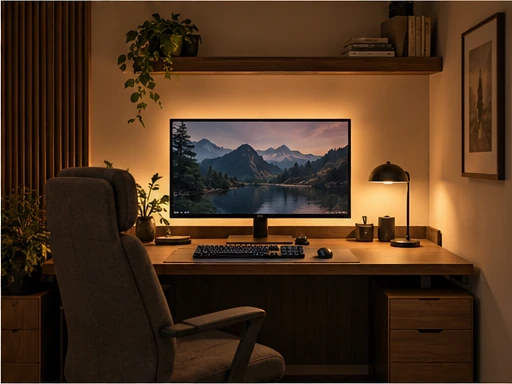
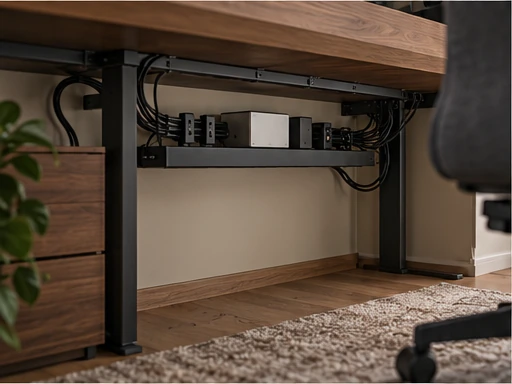
A tidy setup is easier to maintain when every cable has a route. Start at the device, follow the cable to its connection point and leave enough slack for normal movement. A monitor arm needs room to move without tugging connectors. Group cables by destination with reusable ties, then use an accessible tray or clips under the desk to keep the main bundle away from your feet.
Do not hide a tangle by trapping adapters inside a closed decorative box. Keep ventilation openings clear and follow device and power-strip instructions. Arrange charging cables so they end near the drawer, tray or hook where the accessory lives; otherwise controllers and headphones tend to collect wherever a spare plug is available.
Create one small landing zone for objects used every session. A controller dock, a headphone hook and a shallow drawer divider are enough for many desks. Leave part of the desktop empty. Clear working space is useful for a drink, notebook or temporary device and helps the room feel finished without adding more display pieces.
5. Make a console corner feel like part of the room
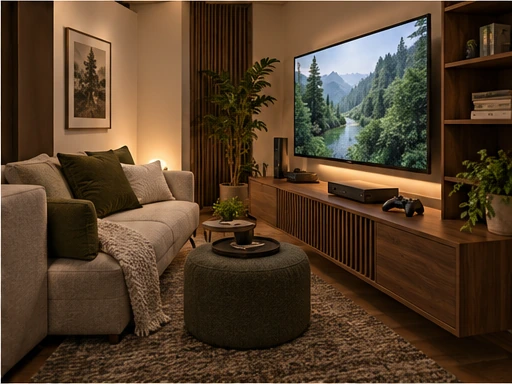
A console setup does not need to imitate a computer desk. Start with the seat you actually use and position the screen for that viewpoint. Check whether you can see comfortably from the sofa without turning sideways; a visually centered television on the wall may still be poorly aligned with the seat.
Use a low cabinet or open shelf that suits the device dimensions and leaves the required ventilation clearance. Place controllers and remotes in a nearby tray or drawer. If other people use the room, keeping those items together makes it easier to switch from gaming to ordinary television or conversation.
Choose a side table for drinks instead of balancing them on the console cabinet. A small rug, upholstered seat and curtains can make a hard-surfaced corner feel softer. Keep wall decor focused on a few pieces you enjoy; the screen already provides a strong focal point, so the surrounding wall does not need to compete with it.
6. Plan a setup that can become a work desk
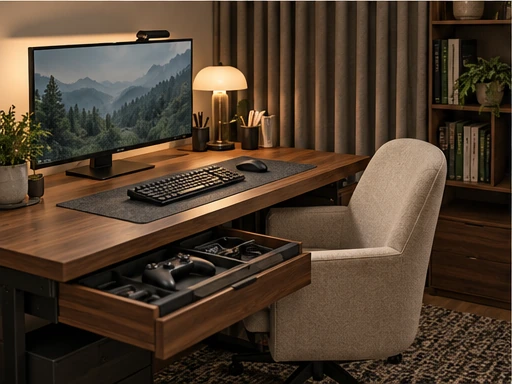
If the room also serves as a home office, give work and gaming accessories separate storage rather than separate furniture. A drawer for controllers and a shelf for notebooks let the same desk change purpose quickly. Keep the keyboard and mouse position comfortable for both tasks before adding a large decorative desk mat.
Soft furnishings can make the room feel less bare and reduce the harsh impression of many reflective surfaces, but ordinary curtains are not soundproofing. If noise carries into another room, consider placement, speaker volume and headphones first. Avoid covering ventilation or building improvised enclosures around heat-producing equipment.
Finish with a staged upgrade plan. First solve fit and screen placement, then chair comfort and cable routing, then lighting, and finally decorative details. Reuse furniture that already works. Living with the basic arrangement for several evenings will reveal which upgrade is worthwhile and which accessory would only fill space.
Frequently Asked Questions
What should I buy first for a small gaming room?
Start by measuring the desk, chair clearance and monitor position. Reuse suitable furniture first, then prioritize the item that solves the largest comfort or space problem. Lighting and decorative accessories can follow.
Does a gaming room need RGB lighting?
No. A shaded task lamp and soft background light can create a comfortable setup. Colored accent lighting is an optional style choice rather than a requirement.
How can I keep a gaming desk tidy?
Assign a cable route, use accessible under-desk storage and give controllers, headphones and charging leads a fixed home. Keep some desktop space clear so temporary items do not displace the essentials.
Can I use a gaming desk for work too?
Yes. Separate storage for gaming accessories and work materials helps the same desk change purpose quickly. Choose the desk and chair around your normal seated tasks rather than the appearance of the equipment.
 10 Cozy Fall Balcony Ideas for Small Spaces
 10 Thrifted Halloween Table Decor Ideas with Vintage Character
 10 Retro Cyberdeck Design Ideas to Plan Before a Build